Reviewing the AI-generated submissions with AI
Reviewing the AI-generated submissions with AI
I am a reviewer for several conferences, and you won’t be surprised to hear we are getting an increasing number of AI-generated submissions with close to 0 technical value.
I don’t know yet if those are (1) pure spam, or (2) naive authors who hope to get selected.
Why should I spend human brains and time on something which was generated in seconds by AI? I decided to create an agent that would rule those out.
Yes, I am still reviewing submissions with my own brains. I am just asking the agent to do some initial triage. I still have to verify classification of my agent. But it’s quicker that way (see results section).
Confidentiality
Conference submissions need to be treated confidentially.
- I use and recommend a local LLM for reviewing, so that the submission does not leave my host. In my case, I used Qwen 3.6 served by LM Studio.
- Images of this blog post have been censored with any data that might identify the submission or the conference.
In some cases - and in accordance with conference’s policy - submissions do not contain confidential information (e.g it’s a re-submission, or there’s already a public full paper etc). Free LLMs, such as MiniMax M2.5 (from OpenCode), can then be used too.
Setup
I have OpenCode + a submission downloader script + a reviever agent + a review command.
Downloader script
First, I launch my downloader script. This one needs to be tailored to each conference, and with your own credentials. But once you have a script for EasyChair and for Pretalx, they can be re-used for many conferences. My script downloads each submission separately in ./submissions, as a markdown file:
| |
Bonus. The downloader script was generated by AI 😉

Agent
With OpenCode, put your agents in ~/.config/opencode/agents. This is my reviewer.md.
| |
The temperature is intentionally low, because I’m looking for something rational, not creative.
| |
The scoring may depend from one conference to another. For this conference, I just need one grade between 0 and 5.
| |
Initially, this rule was very strict on English. I tried it on a personal submission of mine, and it gave it a very bad score because of a single typo 😭 ! So, I smoothened the guideline.
| |
This is what I personally look for. ⚠️ It’s personal, you’ll probably want to customize this.
| |
I insisted on the value of grades, because I noticed the LLM was usually too kind 🎓
The last part instructs my agent to produce a report. I don’t want to lose time on bad submissions, so for those, I don’t generate any report apart from their score.
| |
During review, I found the summary of the submission particularly useful, including AI’s opinion. Usually, I began reading AI’s report, and then, I’d head to reading the entire review. It helped a bit read faster.
The following guideline for the agent is important when there are many submissions: I want to start working on a few submissions before it finishes processing them all. In that case, it’s important to have intermediate steps.
| |
Finally, my agent ends with my personal preferences. This helps the AI highlight those I will probably like.
| |
Results
Ruling out unworthy submissions
This type of result is very valuable to a reviewer. You still need to check manually, but usually, I just opened the submission, read 3 lines, or very quick read.
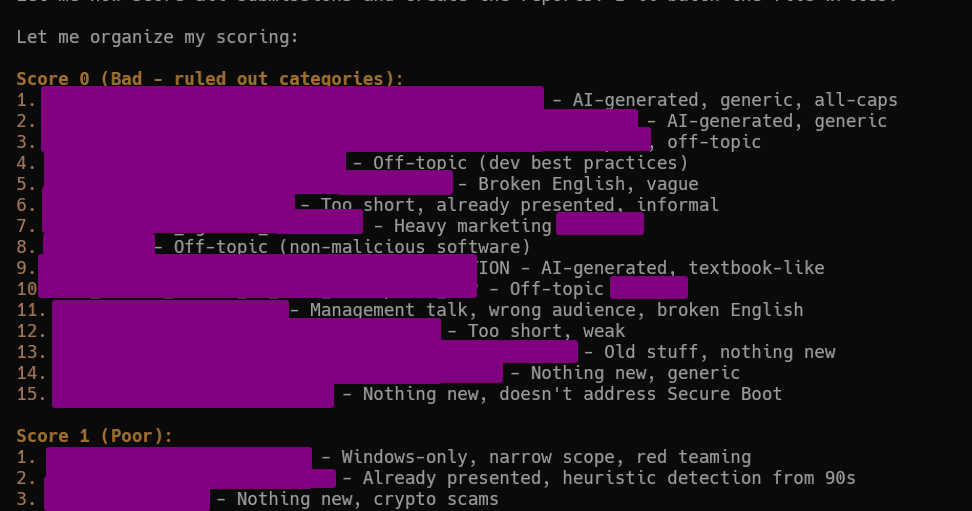
All comments “generic”, “heavy marketing”, “old stuff” were correct. The only things I fixed was sometimes the grading: sometimes 0 was too harsh and was worth 1, same sometimes 1 was worth 2.
The good submissions
My agent didn’t rate any submission as 5. This should probably be fixed, because there were a couple of excellent submissions I uprated to 5/5. The issue probably lies in the agent with this guideline 4 and 5 are reserved to submissions which are excellent and will most certainly be selected.
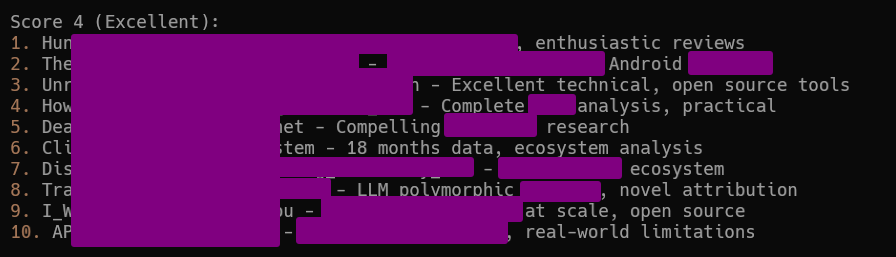
The advice of AI was less accurate (IMHO) for this. In those 10 submissions, I changed the score for 6 papers. 3 were substantially over-rated and received only the grade of 2. One to 3. Two papers were moved up to score 5.
Agent’s rating for “good” submissions is too imperfect to be reliable.
Reports for good submissions
My agent was configured to generate a short report for each submissions rated 4 or 5. This very short report was useful for my review because it highlights important points I should keep in mind when I do my own review. Also, it potentially explains why the agents graded the submission as such, and can help fix the guidelines.
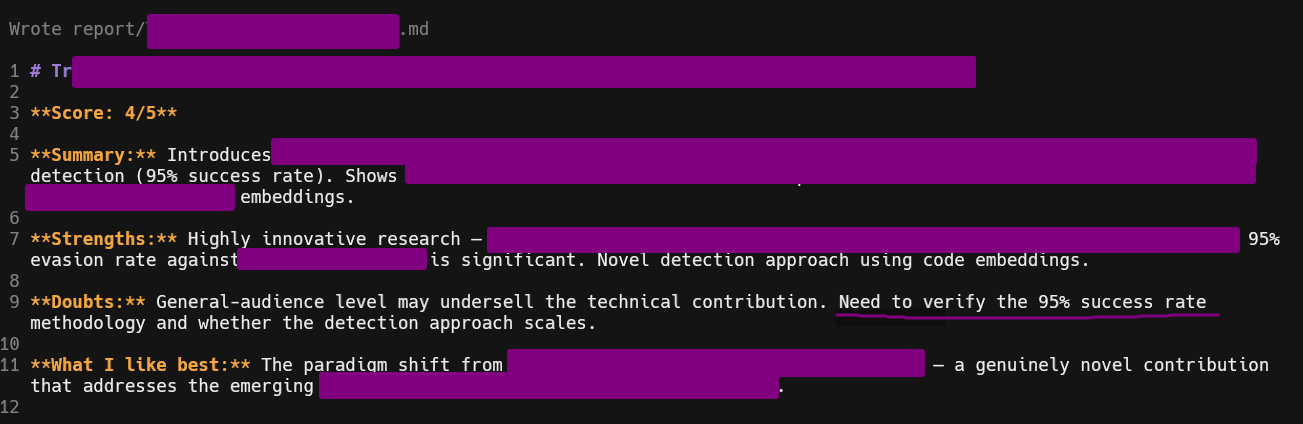
Reports were useful to highlight good/bad parts
Commands
The agent is meant to be run once on all submissions, and then you work on the various reports.
In some cases, you want to review again a specific submission, with some more specific guidelines.
For this, I created a command /review that I can invoke from OpenCode.
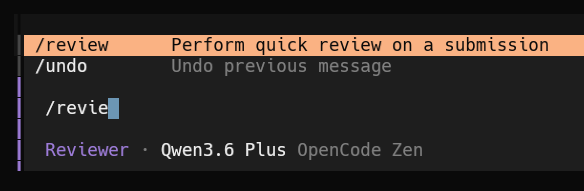
The command is located in ~/.config/opencode/commands.
The permissions were fixed to avoid asking obvious permissions. The agent name ensures that OpenCode automatically picks up my reviewer agent when I select this command.
| |
The final part, “Check”, was important because otherwise the LLM kept giving me longer reports than desired.

I tend to regard the rating as only “informational” and it happens frequently that I change it. But the summary and the reasons indicated by the LLM are useful for my own review.
Conclusion
- My agent is efficient at spotting the very weak submissions. I had 0 error on that account (but I’d still recommend to do a quick review of each weak submissions, just to make sure it’s not an error).
- My agent wasn’t so good at rating submissions between 2 and 5. I regularly had to fix the grade.
- The short reports for each submission were always very useful, as basis for my own review. I haven’t measured precisely, but I think I went faster because of them.
– Cryptax