GreHack 2026: HP 85 challenges
GreHack 2026: HP 85 challenges
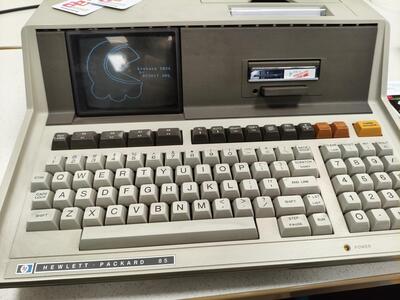
At GreHack 2026 CTF, there were lots of challenges in the Hardware category, with a couple of challenges on operational HP 85 devices. HP 85 are desktop computers released in 1980 with an integrated 5-inch CRT, built-in printer, tape drive and BASIC interpreter.
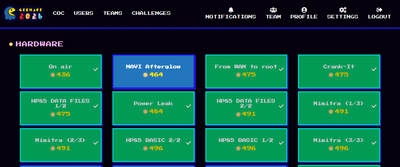
The machines are restored and maintained by ACONIT. It’s a real pleasure to use antique devices which are running smoothly - yes, even the printer.
Overview
I did 4 challenges on the HP 85: while the flag is hidden in different places and with different techniques, there is a common base.
The first step was to get acquainted with the keyboard: there is a “LIST” key, arrows to navigate, a “SCRATCH” key to restart, a “RUN” key to run the current program etc. The challenge resources provide a link to the Owner’s Manual🔗, but to be honest, it was easier to ask the helpful guy around the machines 😉.
We list files on the tape with CAT. There are 2 program files 2DEDT and 2DPLT, and 2 data files GHLOG and HPLOG.
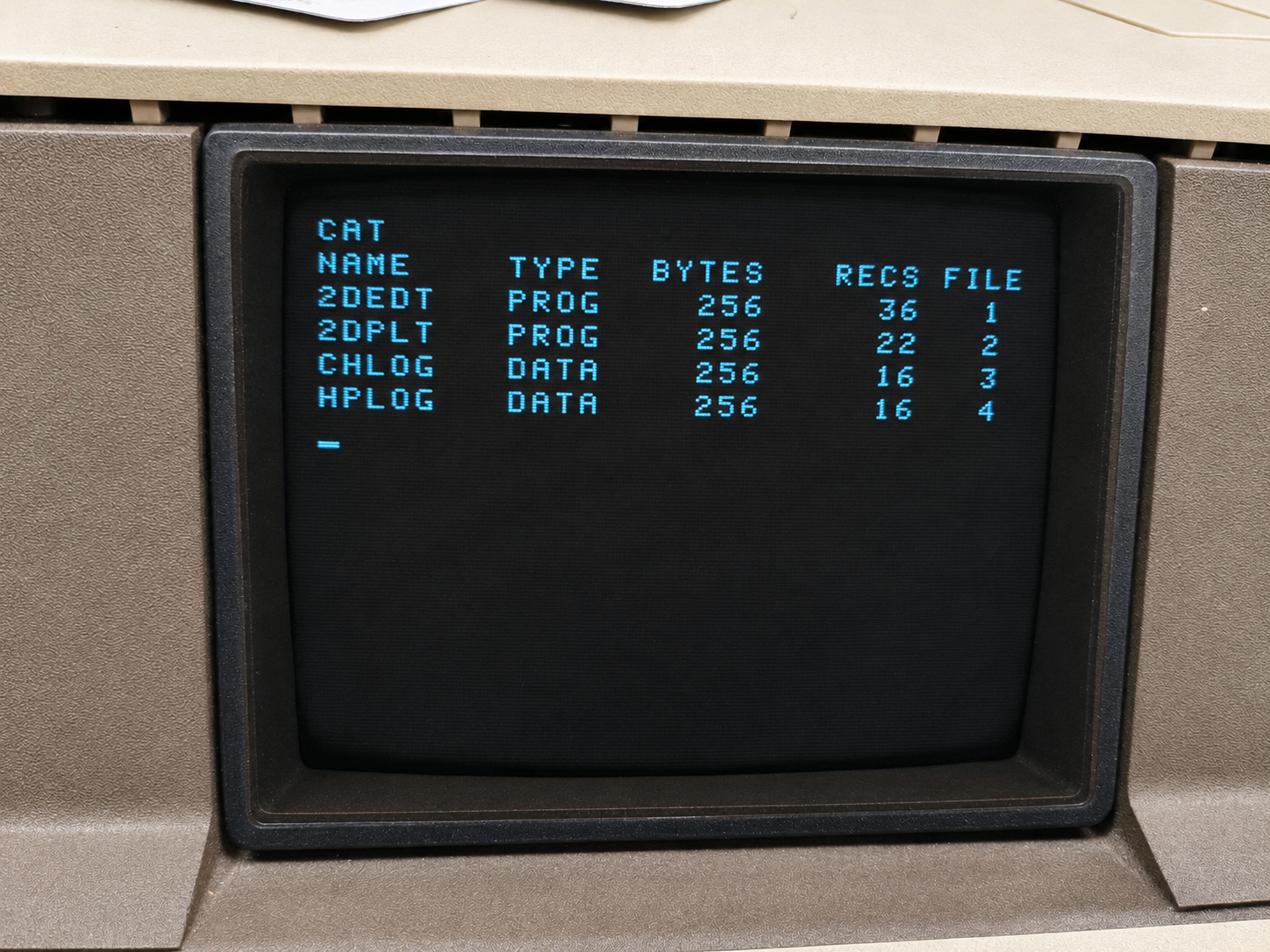
We retrieve the BASIC source code of 2DPLT, but not 2DEDT:
| |
This means the program has been protected against listing. And, of course, Data files don’t have source code.
A quick parse at the source code of 2DPLT shows that it draws a logo on the screen.
The second program 2DEDT can be run, but not listed. It provides several menus to modify the display, e.g load a logo file, add a line, edit a text label.
| |
HP 85 DATA FILES 1/2
Source code
We analyze the source code of 2DEDT (see Appendix).
- It reads data from a given file: the code mentions
GRAPH, but we will want to readGHLOG(GreHack’s logo), orHPLOG(HP’s logo).
| |
- The code loops from 1 to
N, and for each loop, we end up in case 1, 2 or 3. The interesting part is inGOSUB 690.
| |
- In the subroutine, the program reads a character (
S$) and appends it toB$
| |
Data file structure
At first, it isn’t so clear what N is. I create the following program to read N for GHLOG. It answers 20.
| |
Then, with the help of AI, I read the type of the next value: DISP TYP(1). The answer is 1, which means we have a numeric value.
In this writeup, I try to reproduce my (non linear!) path to the solution! At this stage, the values we have are unclear, same for what
Nis.
I launch the other program, 2DEDT, and decide to load the GHLOG file in the menu. It reads it and tell me it has 20 elements.
So
Nis the number of elements 🎉
When we create new elements, or try to edit an element, there is usually: 2 coordinates (x, y) and then, if it’s a “label” element, a string.
Probably, the first numeric value we read after
Nwas anxcoordinate.
Reading “after the end”
We have 20 elements in the file. What if there is actually something more, something beyond those 20 elements?
I can’t remember exactly how I came up with the idea. I think through a discussion with the guy handling the challenges 🙂
I started writing my own program, but got a bit lost. The guy suggested I simply modified the existing program. Indeed, that’s easier. Those are the changes I did:
80 ASSIGN# 1 TO "GHLOG". Read theGHLOGfile.150 FOR I=1 TO 50: we replaceNwith 50. Just a guess, but bigger than 20.735 DISP B$: in the case that handles labels, we make sure to display it. We can display it character by character (S$), but it’s easier to use the concatenated stringB$.
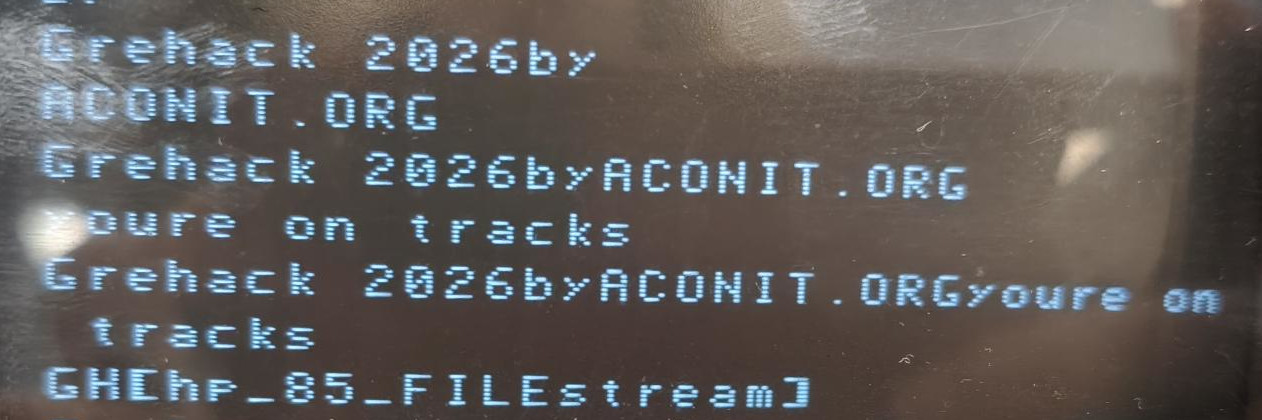
The flag is GH[hp_85_FILEstream].
HP 85 DATA FILES 2/2
The description of the challenge says:
| |
I try the same trick on the file HPLOG. There are somewhat 40 elements in that file - I can’t remember exactly the amount, but it doesn’t really matter. I do the same fix and read until 50 + display the label, but the program fails with an syntax error on this line:
| |
The error we get complains that the data format is wrong.
I search for a long time. I was given the hint that the file “is glitched”, so maybe we just need to get past that error.
The probable issue is that, for a given element, the value we read in S$ is not an (expected) character but a numeric value. So, let’s assume an extra numeric value was inserted and we just need to read the character as fourth parameter:
- Replace with
700 READ# 1 ; V1(I),V2(I),V3(I),S$
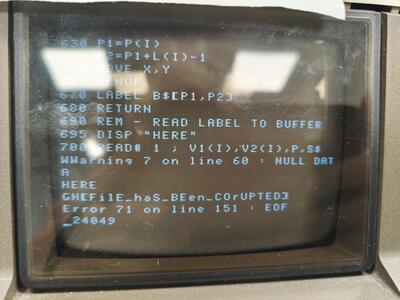
IMHO, this challenge was slightly guessy. There are many possibilities for a wrong data format…
HP 85 BASIC 1/2
After a while, we figure out that 2DPLT is a roughly the subpart of 2DEDT that renders the file.
2DEDT is protected against listing, but we can still execute it without any problem, and with BASIC, this also means we can debug it.
How about we display B$?
- Run the program
B$: get the value of B (orDISP B$)
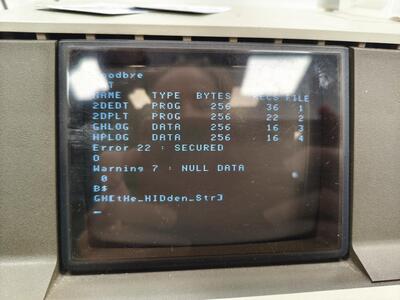
HP 85 BASIC 2/2
This time, we work with the program 2DEDT and we get the hint there is yet another flag to find without writing code.
- There is a hidden menu
8, asking for a password, but I am told not to go in that direction. Lol. I so much wanted to break the admin password 😂 - The program is able to load a graph file, so I try to load the program itself
2DEDT, hoping to see its code. “Nice try” says the guy, but it does not work.
No code to write? Okay, I look into every menu, and try hidden options. This is when I try option “5” in the following menu.
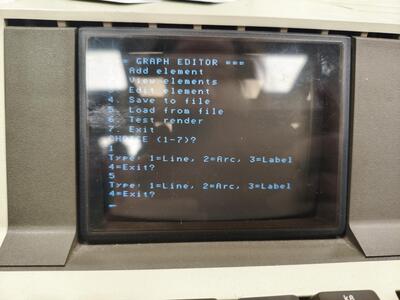
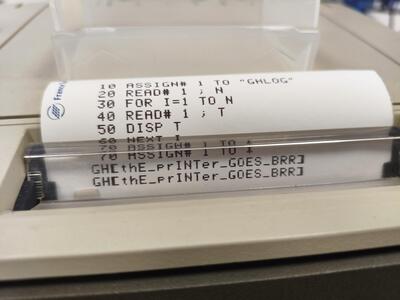
I don’t even notice at first that it has printed the flag - the printer didn’t make that much noise 🖨️
Conclusion
I enjoyed:
- Working on the machines themselves. There is an awesome HP85 simulator, provided by ACONIT, but I prefer to be physically on the machine 🙂
- The guy was very helpful, guiding us through the keyboard, but also providing hints when we were stuck. That’s probably the positive aspect of no longer having any scoreboard at GreHack CTF: there was no competition around those challenges, and they were created for participants to learn and have fun, but if someone needed more help than an other, he/she’d get more help, and that would be fine.
- The first challenge was technically my favorite.
As drawback, I’d just say that the challenges were a bit guessy. There are many possible solutions, and there aren’t enough indications to guide us with certainty in a given direction. Nevertheless, I had fun, and learned a lot. Thanks!
Appendix 2DEDT
| |