BlackAlps 2026 - Badge Challenge
Badge Challenge at BlackAlps 2026
At a booth, Compass Security was running an interesting CTF-like challenge. They were giving out NFC-programmable e-Ink badges such as these:
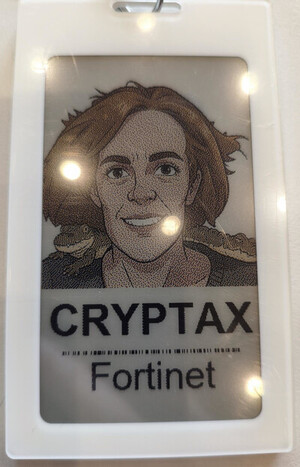
You’d go to their stand, get your photo taken (if you wanted) and have a local LLM on one of their laptops process the image. In my case, I added the prompt “put a crocodile on my shoulder” - spot it in the picture.
On the back of the badge, you’d find a QR code to a repository to handle their badge: GitHub 🔗
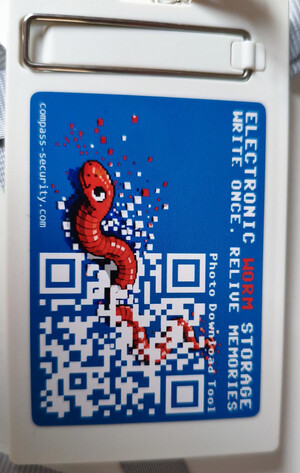
We know there is a flag 🚩 to find, but we don’t have any other clue.
Getting information from the GitHub repo
We learn the badge is a “4-colour e-ink NFC display badge (240 × 416 px, black / white / red / yellow)” (see README in the repo).
The badge speaks ISO 14443-4, because the README recommends “Any ISO 14443-4 compliant CCID reader” to program it. So, the badge behaves like an ISO 14443-4 contactless smart card where NFC is the radio link.
nfcink is a tool to write the badges: set the photo, name, refresh:
python3 nfcink.py badge <photo> --name "Jane Doe"python3 nfcink.py refresh
There is yet another interesting command, in the context of a challenge: read-user-data:
nfcink.py->run_on_tag()inrunner.py->cmd_read_user_data()inprotocol.py
| |
To read user data, we must send “F0 D8 00 00 05
- Offset is written in Big Endian, and it’s where we should start to read user data.
- Length of the data to read
Reading user data from the badge
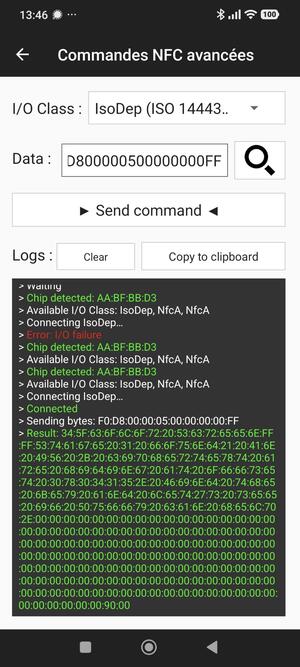
We can try and send F0 D8 00 00 05 00 00 00 00 FF (actually, there’s something smarter to do if you read code comments, we’ll see that after).
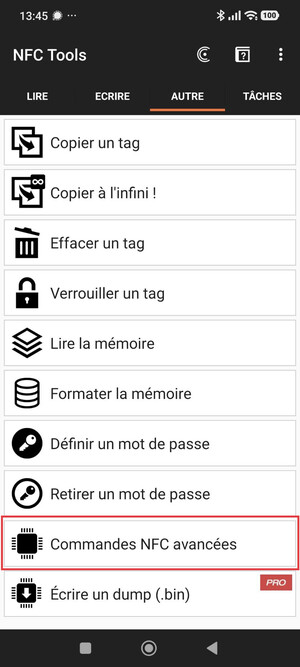
I don’t have a CCID reader with me, so I use my Android smartphone and the “NFC Tools” application by NXP. I navigate to the menu for Advanced commands, which allows me to send custom APDUs.
| |
There’s ASCII text at the beginning:
| |
If you read the comments, they explicitly say that at offset 0, we will find the literal “4_color Screen”. So, we can directly asked only for what was after i.e offset 14 (0x0E):
F0 D8 00 00 05 00 00 00 0E FF.
Reading offset 0x0415
The badge tells us the next step: read offset 0x0415. So, that is F0:D8:00:00:05:00:00:04:15:FF.
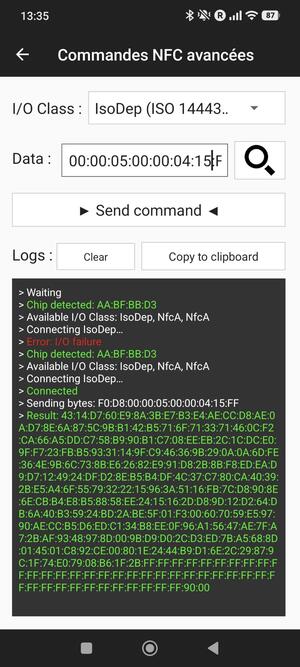
The badge answers this:
| |
The previous message contains a hint “see if Puffy can help”. A pufferfish is also a blowfish. So the algorithm is likely to be Blowfish. The message also says “Stage 1 found! An IV + ciphertext are” + “Puffy”), so we know:
- IV. 8 bytes for Blowfish.
43:14:D7:60:E9:8A:3B:E7 - Ciphertext.
B3:E4:AE:CC:D8:AE:0A:D7:8E:6A:87:5C:9B:B1:42:B5:71:6F:71:33:71:46:0C:F2:CA:66:A5:DD:C7:58:B9:90:B1:C7:08:EE:EB:2C:1C:DC:E0:9F:F7:23:FB:B5:93:31:14:9F:C9:46:36:9B:29:0A:0A:6D:FE:36:4E:9B:6C:73:8B:E6:26:82:E9:91:D8:2B:8B:F8:ED:EA:D9:D7:12:49:24:DF:D2:8E:B5:B4:DF:4C:37:C7:80:CA:40:39:2B:E5:A4:6F:55:79:32:22:15:96:3A:51:16:FB:7C:D8:90:8E:6E:CB:B4:E8:B5:88:58:EE:24:15:16:2D:D8:9D:12:D2:64:DB:6A:40:B3:59:24:BD:2A:BE:5F:01:F3:00:60:70:59:E5:97:90:AE:CC:B5:D6:ED:C1:34:B8:EE:0F:96:A1:56:47:AE:7F:A7:2B:AF:93:48:97:8D:00:9B:D9:D0:2C:D3:ED:7B:A5:68:8D:01:45:01:C8:92:CE:00:80:1E:24:44:B9:D1:6E:2C:29:87:9C:1F:74:E0:79:08:B6:1F:2B. 208 bytes. - The remaining FF bytes are padding.
Where is the key?
On the badge, we notice a strange bar code between the name and the company name. In a CTF challenge, barcodes are never there without reason 😀.

On my smartphone, I have been unable to find an application that read that barcode. So I took a picture of it, and sent it to a LLM to be decoded.
| |
This isn’t a readable key, so I wasn’t sure it would work, but it does: this is the Blowfish AES key.
Decrypting the ciphertext
There is no difficulty in writing a script to decrypt the ciphertext now that we have all the parameters.
My script was generated by a LLM. I’m unable to say if that’s a smart move “because I know how to do it and it saves me a few minutes” or if it’s silly “because I dont need a LLM for that”…
| |
The ciphertext decrypts to this message:
| |
We have completed stage 2, but there’s a stage 3 😆
Stage 3 : Pastebin and LLM
The first pastebin link contains a long (boring) text obviously generated by a LLM:
| |
The second pastebin link contains a Python script which explains how the text was generated:
| |
Attempt with Claude Sonnet 5.5
Claude finds 8 words without problem, but is uncertain the nineth word is Many (paragraph 18) or Day (paragraph 35).
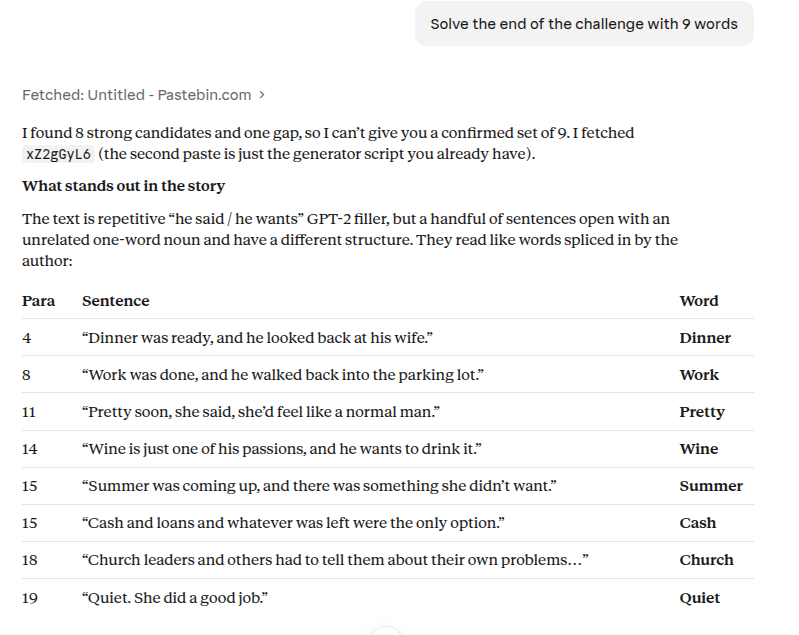
I send an email to the organizers with a first attempt and the word Day: cryptax a136c5a8 Dinner Work Pretty Wine Summer Cash Church Quiet Day, but it is not correct.
Attempt with DeepSeek V4.1 Flash
DeepSeek finds similar words, but seems to prefer Many to Day.
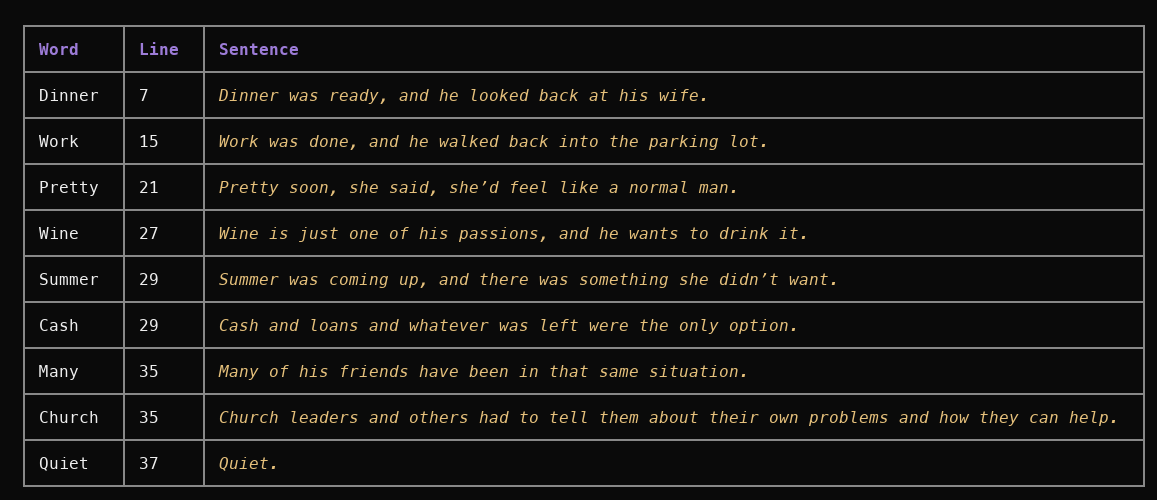
Its criteria is that the words should be that they are not stopwords, proper nouns or contradictions.
I don’t want to spam the organizers, so I go and chat with them. They tell me my LLM’s criteria are not correct, and that I should better look at how the text is generated.
Understanding the script
I am not an expert at using Python Hugging Face classes, so I ask Claude to explain the code line by line to me.
The code uses the GPT-2 model, which is a “tiny” model (according to DeepSeek 😆). Models work on tokens, right? But, internally, models work on numbers (maths), not on words. So, the first step is to
- Split the prompt (a seed sentence) into tokens
- Map each token to its ID.
| |
Then, the model predicts the next token from those IDs. The generation parameters show that:
- The model will generate max 60 tokens (for more, we need to loop)
- The temperature is very high, so very random
- The model only considers the 40 most likely next tokens
| |
Finally, actually, the model predicts a token ID, so the program converts that back to text:
| |
So, basically, we have to find words in the next that don’t look like they could have been generated by the model, i.e their probability to be select is far too low.
Finding the 9 words
LLM creates a script which does computations on each tokens of the text:
- Computes the negative log-likelihood
NLL(w) = -log P(w | all preceding text) - Rank of the token (rank 0 is the most probable token, rank 1 is the second most probable token, rank 50,256 is the least probable)
- Compute p = exp(-NLL) which is the probablility of a token at that position. So p=1.7e-06 means there’s a chance of 0.00017% of having the token there.
Then, the script displays the tokens by order of appearance in the story. We get the following output:
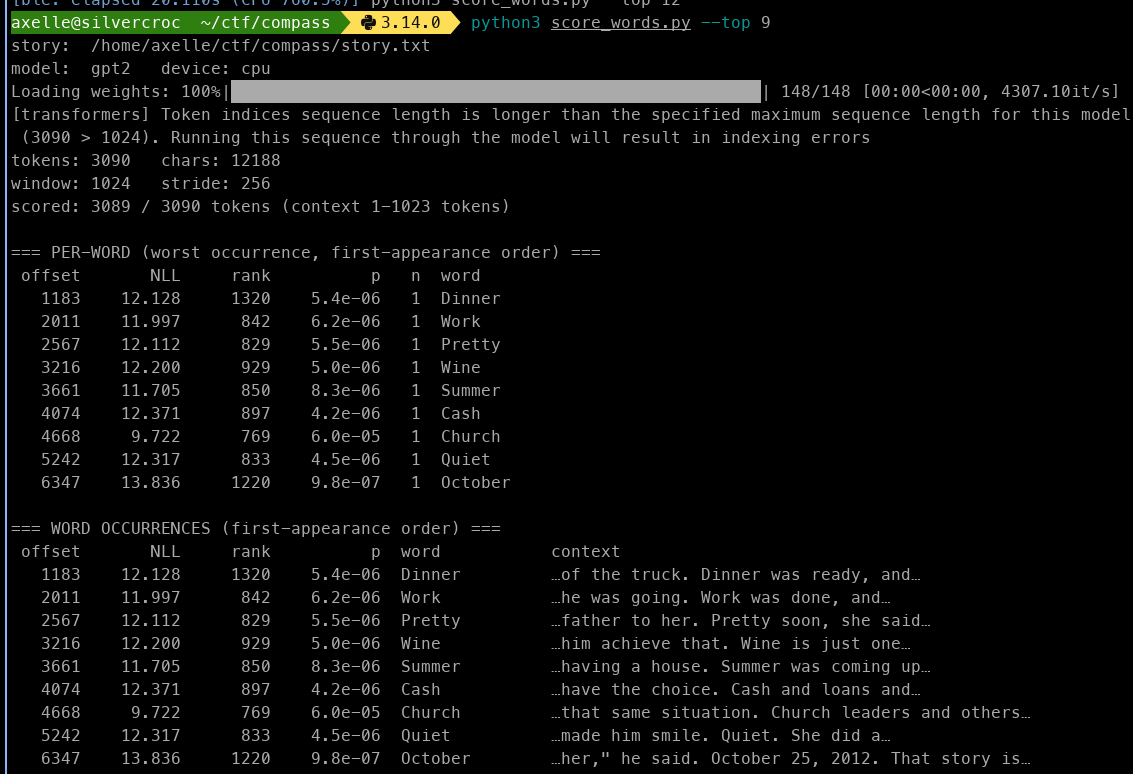
The correct solution is cryptax a136c5a8 Dinner Work Pretty Wine Summer Cash Church Quiet October
Conclusion
I liked the challenge very much. It involved a device, NFC, APDUs, and LLMs. Would have been perfect for ph0wn! I used LLMs to solve the challenge, but (1) they didn’t solve it autonomously (good), and (2) it didn’t spoil the fun of the challenge.
I unfortunately did not get lucky at the raffle for the prize, never mind.
Perhaps the only thing I would have liked in this challenge is a way to check the words I find are the correct one, beyond sending an email and waiting for the success message 🤣
Appendix: Code to test the tokens
This code was entirely written by DeepSeek. I had to tell it exactly what to do though.
| |