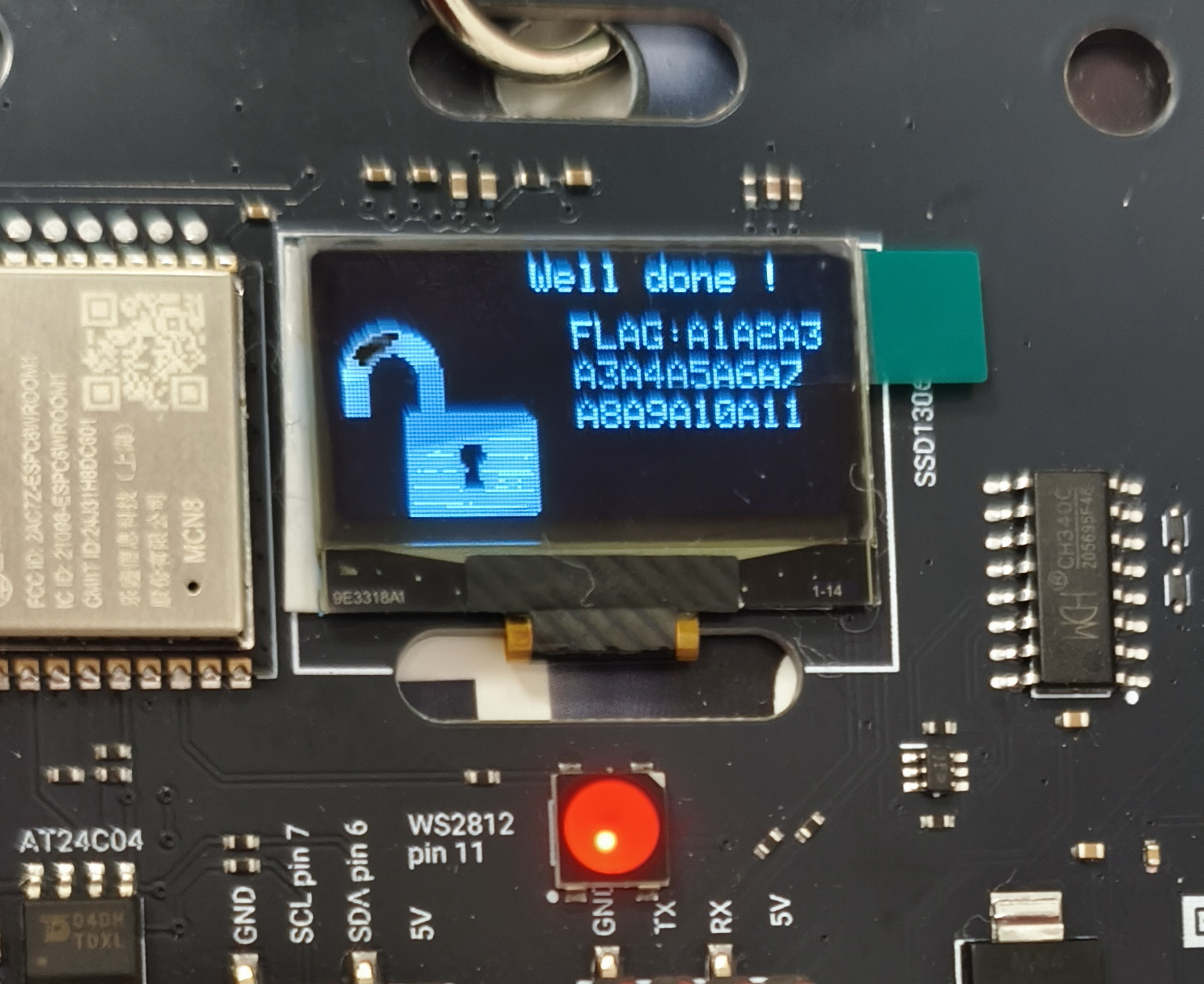
THCon 2026 Badge
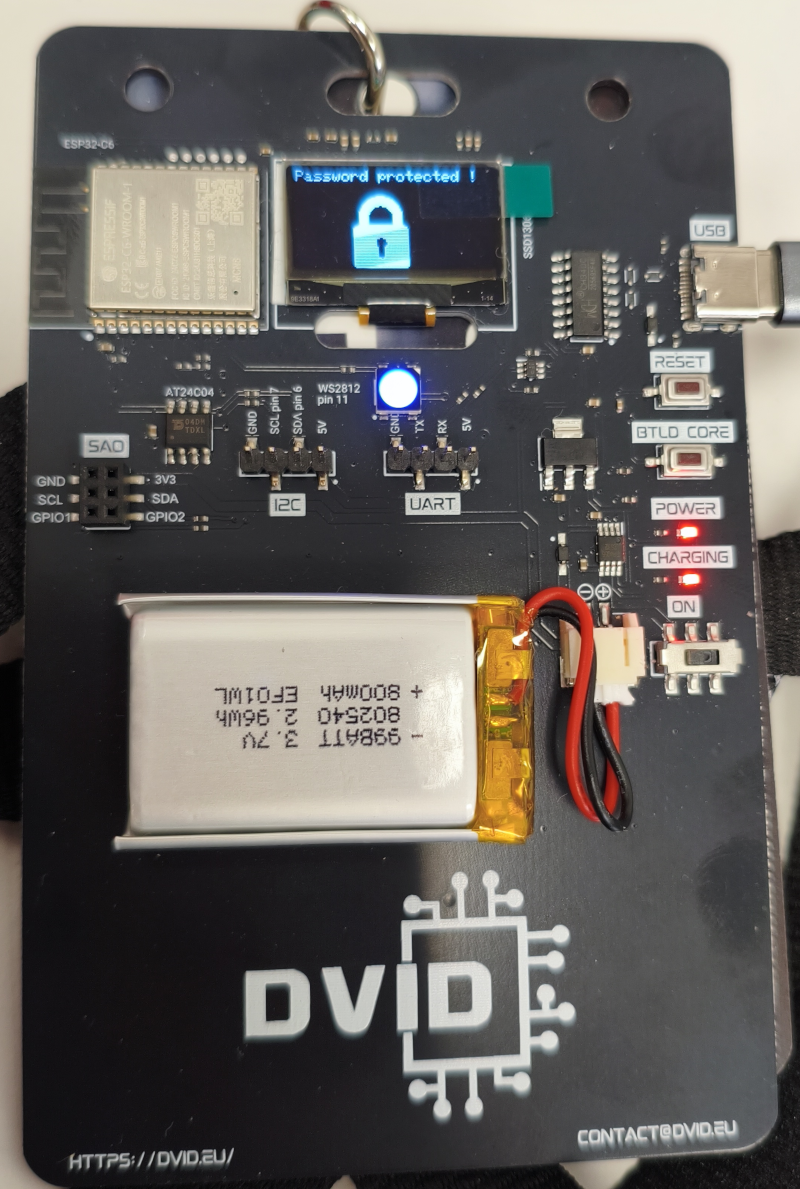
The badge at THCon 2026 was created by DVID.
It actually had 2 firmware:
- Shipped on the badges for the conference, and reversed by Virtualabs. Interesting blog post, read it! This firmware has the badges communicate with a master using BLE.
- A specific firmware for a challenge.
Getting the XRefs in Ghidra
I had dumped the firmware and retrieved the applicative part see Virtualab’s post, but I was annoyed not to have any xref in Ghidra. All refs were out, and it made the reverse engineering painful.
Yesterday, at SHL, BlackB0x taught me a great trick that solved the issue:
- From
esptool image-info, you get a list of all segments in the firmware:
1
2
3
4
5
6
7
| Segment Length Load addr File offs Memory types
------- ------- ---------- ---------- ------------
0 0x13818 0x42078020 0x00000018 DROM, IROM
1 0x047d8 0x40800000 0x00013838 DRAM, BYTE_ACCESSIBLE, IRAM
2 0x74914 0x42000020 0x00018018 DROM, IROM
3 0x0ebe4 0x408047d8 0x0008c934 DRAM, BYTE_ACCESSIBLE, IRAM
4 0x028bc 0x408133c0 0x0009b520 DRAM, BYTE_ACCESSIBLE, IRAM
|
- Patiently cut each segment of the firmware (for example, with
dd) - Then import the first segment in Ghidra: RISCV 32 LE, and pay attention to specify the base address (see “Load addr” in our table).
- Open the Code Browser in Ghidra, and do Add to Program, and patiently add each other segment, paying attention again to specify correctly their base address.
Tadam! You get all XRrefs perfect!
Reversing with OpenCode and Ghidra MCP
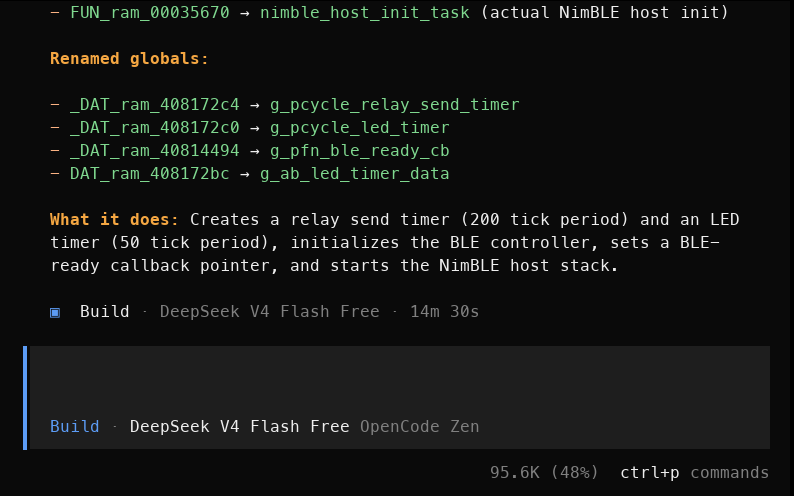
I like to ask LLMs to rename functions and variables in a meaningful way.
My setup is:
- OpenCode
- A free LLM from OpenCode Zen works fine
- Ghidra
- Ghidra MCP, configured for OpenCode

A typical initial prompt I used: “Use my Ghidra MCP to connect to the open program on seg0. Then go to function timer_init() and rename functions and variables inside it with meaningful names.”
Flashing the firmware challenge
The command on the git repo did not quite work: esptool.py --port /dev/ttyUSB0 --baud 115200 --chip esp32 write_flash 0x0 firmware.bin complained: “This chip is ESP32-C6, not ESP32. “. I simply removed the argument, and it saw it was ESP32-C6 on its own to flash the board correctly.
BLE investigation
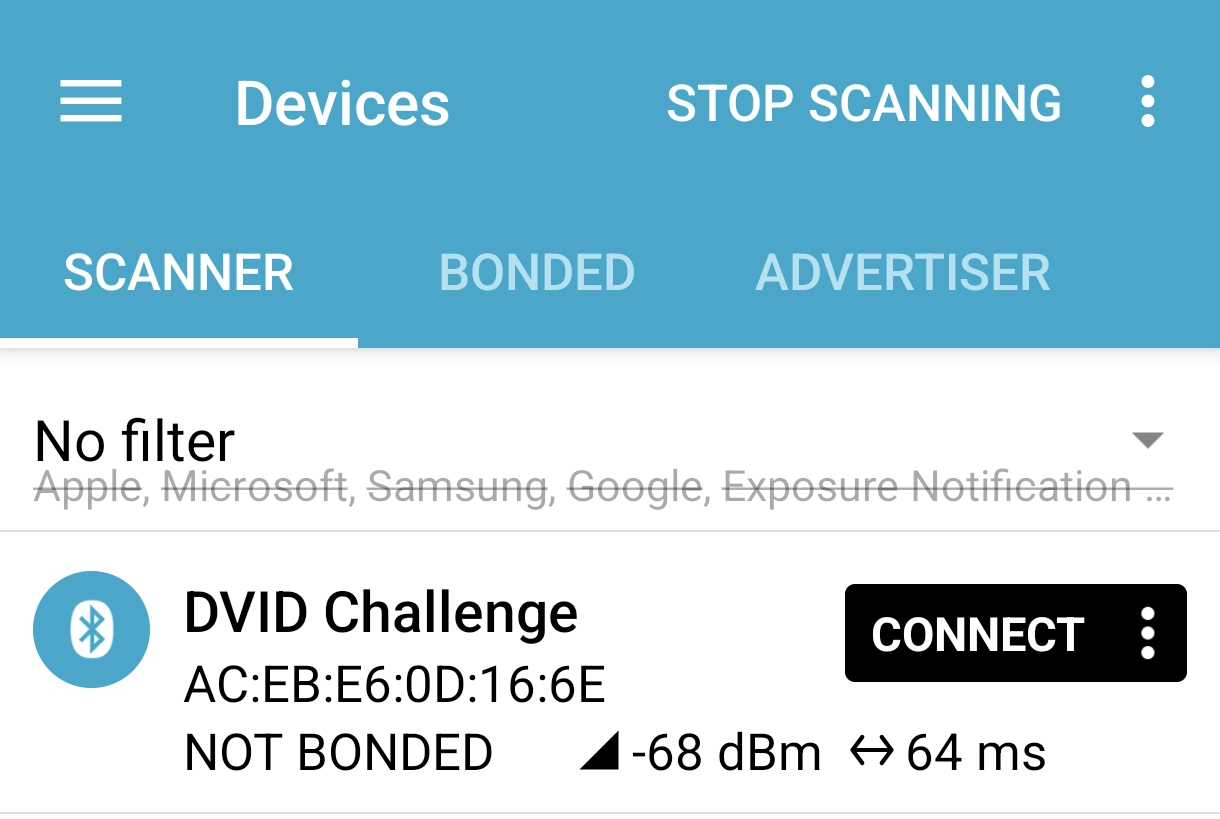
With the nRF Connect app, we see the board advertizes on BLE.
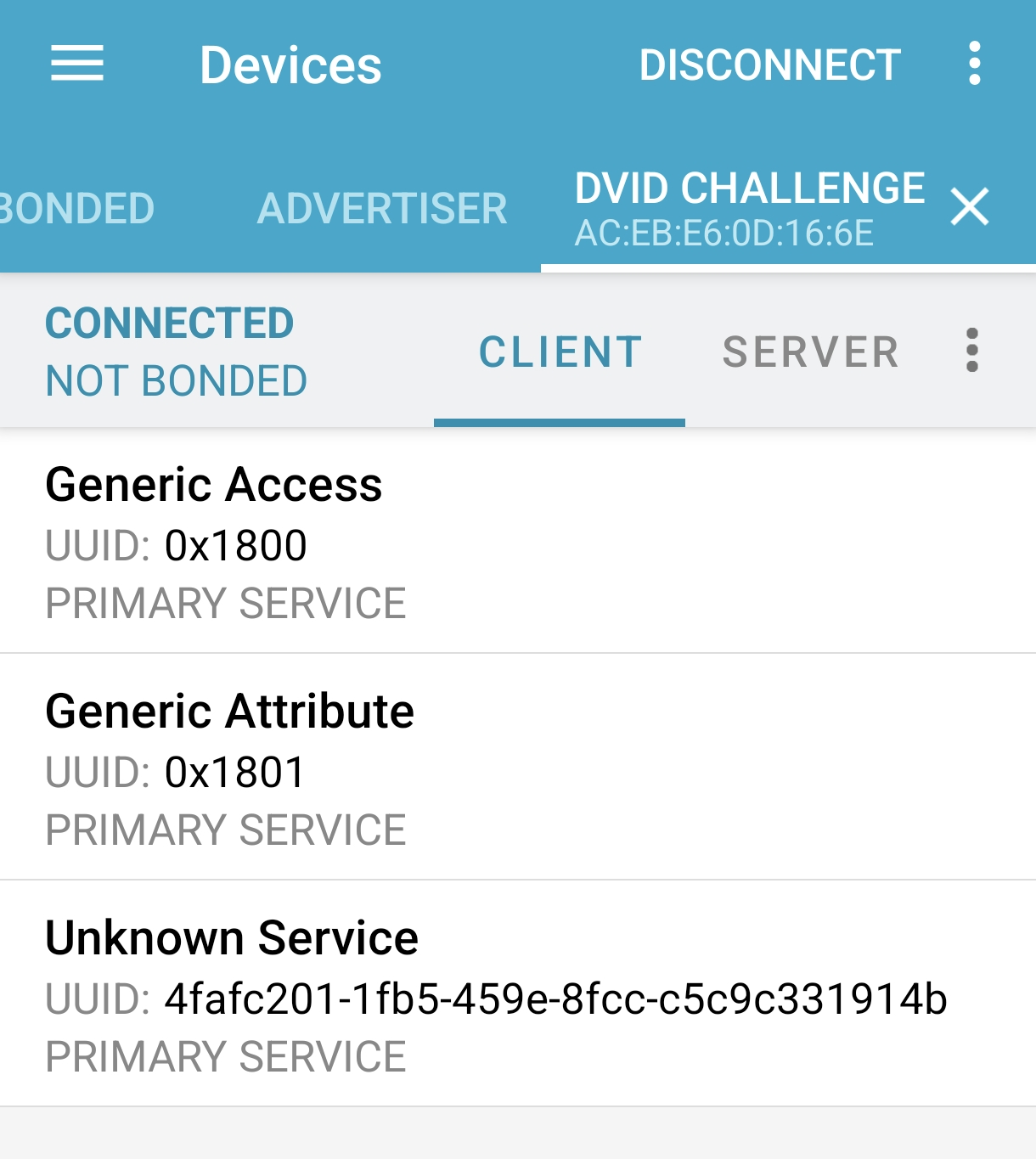
There is a custom service with UUID 0x4fafc201-1fb5-459e-8fcc-c5c9c331914b, and a characteristic beb5483e-36e1-4688-b7f5-ea07361b26a8.
Reversing the firmware of the challenge
First, we are go list partitions in the firmware. On ESP32-C6, by default, the partition table is at 0x8000 (I didn’t know, but my LLM told me). It’s configurable actually, so if you don’t find it there, you’ll actually have to search for the ESP_PARTITION_MAGIC 0x50AA.
 1
 2
 3
 4
 5
 6
 7
 8
 9
10
11
12
13
14
15
16
17
18
19
20
21
22
23
24
25
26
27
28
29
30
31
32
33
34
35
36
37
38
39
40
41
42
43
44
45
| import struct
with open('firmware.bin', 'rb') as f:
data = f.read()
PT_OFFSET = 0x8000
type_names = {0x00: 'APP', 0x01: 'DATA'}
app_sub = {0x00: 'FACTORY', 0x10: 'OTA_0', 0x11: 'OTA_1', 0x12: 'OTA_2',
0x13: 'OTA_3', 0x14: 'OTA_4', 0x15: 'OTA_5', 0x16: 'OTA_6',
0x17: 'OTA_7', 0x20: 'TEST'}
data_sub = {0x00: 'OTADATA', 0x01: 'PHY', 0x02: 'NVS', 0x03: 'COREDUMP',
0x04: 'NVS_KEYS', 0x05: 'EFUSE', 0x80: 'FAT', 0x81: 'SPIFFS',
0x82: 'LITTLEFS', 0x83: 'YAFFS'}
print(f"{'Label':<12} {'Type':<8} {'Subtype':<12} {'Flash Offs':>12} {'File Offs':>12} {'Size':>12}")
print('-' * 68)
for i in range(8):
off = PT_OFFSET + i * 32
if off + 32 > len(data):
break
magic = struct.unpack_from('<H', data, off)[0]
if magic == 0xFFFF or magic == 0x0000:
break
if magic != 0x50AA:
print(f" [bad magic 0x{magic:04x} at offset 0x{off:x}, skipping]")
continue
ptype = data[off + 2]
subtype = data[off + 3]
flash_off = struct.unpack_from('<I', data, off + 4)[0]
size = struct.unpack_from('<I', data, off + 8)[0]
label = data[off + 12:off + 32].split(b'\x00')[0].decode(errors='replace')
pn = type_names.get(ptype, f'?{ptype}')
sn = (app_sub.get(subtype, f'?{subtype}') if ptype == 0x00
else data_sub.get(subtype, f'?{subtype}') if ptype == 0x01
else f'?{subtype}')
# In a raw flash dump, file offset = flash offset
file_off = flash_off
print(f"{label:<12} {pn:<8} {sn:<12} {flash_off:>10x}h {file_off:>10x}h {size:>10x}h ({size // 1024} KB)")
|
We get the following partitions:
1
2
3
4
5
6
7
8
| Label Type Subtype Flash Offs File Offs Size
--------------------------------------------------------------------
nvs DATA NVS 9000h 9000h 5000h (20 KB)
otadata DATA OTADATA e000h e000h 2000h (8 KB)
app0 APP OTA_0 10000h 10000h 140000h (1280 KB)
app1 APP OTA_1 150000h 150000h 140000h (1280 KB)
spiffs DATA LITTLEFS 290000h 290000h 160000h (1408 KB)
coredump DATA COREDUMP 3f0000h 3f0000h 10000h (64 KB)
|
The app0 partition contains the factory partition, provisioned at manufacturing.
App1 is an OTA update slot.
We extract app0 (with dd) and inspect its segments (esptool image-info app0.bin):
1
2
3
4
5
6
| Segment Length Load addr File offs Memory types
------- ------- ---------- ---------- ------------
0 0x1d8e8 0x42090020 0x00000018 DROM, IROM
1 0x02708 0x40800000 0x0001d908 DRAM, BYTE_ACCESSIBLE, IRAM
2 0x8cc38 0x42000020 0x00020018 DROM, IROM
3 0x15bcc 0x40802708 0x000acc58 DRAM, BYTE_ACCESSIBLE, IRAM
|
We cut app0.bin in 4 segments, import the first segment (language: RISCV 32 LE) and define the base address (load address). Then we add the 3 other segments as “Add to Program”.
ble_eventHandler
We search for interesting strings, such as “Password” and find it in a function at 0x420001d4. We ask our LLM to rename functions and we see that messages are printed on the serial link:
1
2
3
4
5
| uart_println(0x40818638,s_This_challenge_is_over_Bluetooth_ram_420901d0 + 0x1c);
puVar4 = &DAT_ram_408182e0;
if (-1 < (char)DAT_ram_408182ef) {
puVar4 = _DAT_ram_408182e0;
}
|
We connect to the board with picocom /dev/ttyUSB0 -b 115200 and use the nRF Connect app to send a string to the custom characteristic. The string is received and displayed both on screen and serial link:
1
2
3
| This challenge is over Bluetooth !
Valeur lue de la caracteristique : Pico le Croco
This challenge is over Bluetooth !
|
Password validation logic
- Several messages are printed like “Password protected !” and “This challenge is over Bluetooth”
- The value sent to the characteristic is read
- And compared to a desired value
- If the string equals, the badge displays a congrats message “Well done !” and a flag:
A1A2A3A4A5A6A7A8A9A10A11
We have the flag, but we don’t have the secret password yet.
The string comparison in Ghidra is the following. We need value (BLE characteristic value) to match “s_Received_:_ram_42090218 + 4”:
1
| iVar6 = String_equals(value,s_Received_:_ram_42090218 + 4);
|
At first, I thought that meant it was waiting for “ived : “, ie 4 bytes after the beginning of “Received :”. But that didn’t work.
The reason is Ghidra gets this wrong.
This should go to 0x4209021c. Except this is in the middle of a string, and a reference error of Ghidra, it should really go to 0x42090224.
Anybody knows what’s happening? I’d love to get the real explanation.
So the password is secret. This corroborates the decompilation of the success case which actually prints “secret”.
1
2
3
4
5
6
7
8
9
10
11
| iVar6 = String_equals(auStack_54,s_Received_:_ram_42090218 + 4);
if (iVar6 != 0) {
oled_clear(0x40818304);
_DAT_ram_40818314 = 0x32;
_DAT_ram_40818318 = 0x10001;
// note here we are printing "secret" !
uart_printf(0x40818304,s_secret_ram_42090224);
oled_drawBitmap(0x40818304,0,0x10,&DAT_ram_4209dbdc,0x32,0x32,1);
_DAT_ram_40818314 = 0xf003c;
uart_println(0x40818304,s_Well_done_!_ram_4209022c + 4);
_DAT_ram_40818314 = 0x19003c;
|
With the nRF Connect application, send secret to unlock the badge.
Annex: Decompiled ble_eventHandler, after some renaming
1
2
3
4
5
6
7
8
9
10
11
12
13
14
15
16
17
18
19
20
21
22
23
24
25
26
27
28
29
30
31
32
33
34
35
36
37
38
39
40
41
42
43
44
45
46
47
48
49
50
51
52
53
54
55
56
57
58
59
60
61
62
63
64
65
66
67
68
69
70
71
72
73
74
75
76
77
78
79
80
81
82
83
84
85
86
87
88
89
90
91
92
93
94
95
96
| void ble_eventHandler(void)
{
int iVar1;
int iVar2;
undefined4 uVar3;
undefined1 *puVar4;
uint uVar5;
int iVar6;
undefined1 auStack_54 [16];
undefined1 auStack_44 [16];
undefined1 auStack_34 [16];
int iStack_24;
iStack_24 = _DAT_ram_4081a398;
iVar6 = 0;
do {
for (iVar1 = 0; iVar2 = oled_getNumPixels(0x408182f0), iVar1 < iVar2; iVar1 = iVar1 + 1) {
iVar2 = oled_getNumPixels(0x408182f0);
uVar3 = oled_colorWheel(0x408182f0,(iVar1 << 8) / iVar2 + iVar6 & 0xff);
oled_setPixel(0x408182f0,iVar1,uVar3);
}
oled_show(0x408182f0);
iVar6 = iVar6 + 2;
thunk_FUN_ram_40810868(10);
} while (iVar6 != 0x100);
uart_printf(0x40818638,s_Password_protected_!_ram_420901b8 + 0x10);
thunk_FUN_ram_40810868(500);
if ((DAT_ram_4081a314 == '\0') && (_DAT_ram_4081a318 != 0)) {
String_init(auStack_34);
String_moveAssign(&DAT_ram_408182e0,auStack_34);
String_free(auStack_34);
if ((char)DAT_ram_408182ef < '\0') {
uVar5 = DAT_ram_408182ef & 0x7f;
}
else {
uVar5 = _DAT_ram_408182e8;
if (_DAT_ram_408182e0 == (undefined1 *)0x0) goto LAB_ram_420002aa;
}
if (uVar5 != 0) {
      uart_println(0x40818638,s_This_challenge_is_over_Bluetooth_ram_420901d0 + 0x1c);
      puVar4 = &DAT_ram_408182e0;
      if (-1 < (char)DAT_ram_408182ef) {
        puVar4 = _DAT_ram_408182e0;
      }
String_assignCStr(auStack_54,puVar4);
uart_print(0x40818638,auStack_54);
oled_clear(0x40818304);
_DAT_ram_40818314 = 0;
_DAT_ram_40818318 = 0x10001;
String_assignCStr(auStack_34,s_Valeur_lue_de_la_caracteristique_ram_420901f4 + 0x1c);
puVar4 = &DAT_ram_408182e0;
if (-1 < (char)DAT_ram_408182ef) {
puVar4 = _DAT_ram_408182e0;
}
String_assignCStr(auStack_44,puVar4);
uVar3 = String_concat(auStack_34,auStack_44);
uart_print(0x40818304,uVar3);
String_free(auStack_44);
String_free(auStack_34);
oled_drawBitmap(0x40818304,0x1e,0x10,s_libbtbb_version:_%s,_%s,_%s_ram_4209da64 + 0x18,0x32,
0x32,1);
oled_update(0x40818304);
iVar6 = String_equals(auStack_54,s_Received_:_ram_42090218 + 4);
if (iVar6 != 0) {
oled_clear(0x40818304);
_DAT_ram_40818314 = 0x32;
_DAT_ram_40818318 = 0x10001;
uart_printf(0x40818304,s_secret_ram_42090224);
oled_drawBitmap(0x40818304,0,0x10,&DAT_ram_4209dbdc,0x32,0x32,1);
_DAT_ram_40818314 = 0xf003c;
uart_println(0x40818304,s_Well_done_!_ram_4209022c + 4);
_DAT_ram_40818314 = 0x19003c;
uart_println(0x40818304,s_:A1A2A3_ram_4209023c);
_DAT_ram_40818314 = 0x23003c;
uart_println(0x40818304,s_A5A6A7_ram_42090248);
oled_update(0x40818304);
thunk_FUN_ram_40810868(2000);
DAT_ram_4081a314 = '\x01';
}
String_free(auStack_54);
}
}
LAB_ram_420002aa:
if (_DAT_ram_4081a398 != iStack_24) {
do {
uVar3 = panic();
String_free(auStack_44);
String_free(auStack_34);
String_free(auStack_54);
} while (_DAT_ram_4081a398 != iStack_24);
/* WARNING: Subroutine does not return */
fatalAbort(uVar3);
}
return;
}
|